What’s the Difference & How To Use Them!
1. Google Contact Map
Make it easy for potential customers to find you – one less sales hurdle.
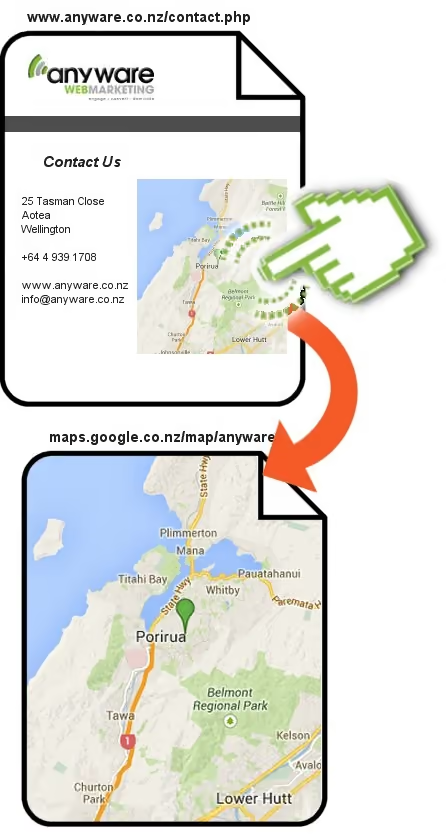
A Google Map Image
On your “Contact Us” page
Click the Map…
…to open in Google Maps.
Visitors can move, zoom
and get directions.
What To Do
- Add a Google Map image to your Contact Us page
- Link to your location on the Google Map
2. Google Places
aka Google Places for Business
We believe registering in Google Places is the best value marketing a local business can do.
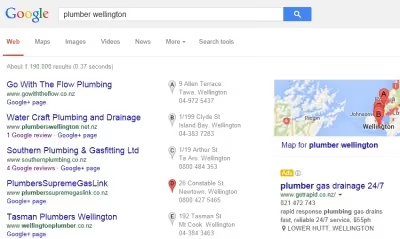
Register your business & location in Google Places…
Show up in the local search results with a map
Better rankings for local searches
Like a directory listing
Collect reviews to improve rankings and conversions
What To Do
- Create or update your free listing: www.google.co.nz/business/placesforbusiness
- Apply the 20+ optimisation steps to maximise your ranking (they change a lot)
3. Google+ Local Page
Google’s Social Media Site
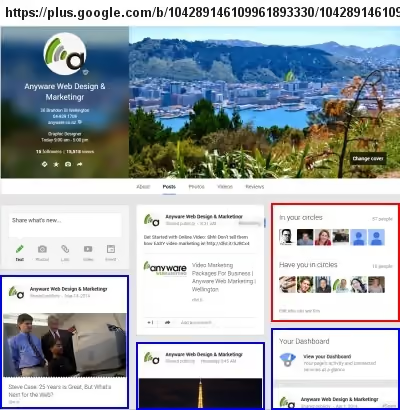
Similar to a Google Places Page
Also includes:
Friends and followers
Post updates for friends to see, like and comment on.
The better they engage with you the better your ranking.
What To Do
- Create or update your free listing: plus.google.com
- Apply the 20+ optimisation steps to maximise your ranking (they change a lot)
- Find and add your friends
- [Optional] Post regular content
Questions? Need Help?
Call us or drop us an email and we’ll be happy to help.