
Call-to-Action (CTA)A call-to-action (CTA) is an image or text that prompts visitors to take action, such as subscribe to a newsletter, request a product demo, call you or see more details about a product/service. Use CTAs to guide people through your web site and show them what to do next, when they get to the end of each page. Never leave a visitor dangling or they will fall off. |
 |
|
TestimonialsThe biggest reason to put testimonials on your website is that it helps to give your potential clients confidence that you are worth doing business with. Feeling comfortable with you, your product and your professionalism is a big part of why people will, or will not, do business with you. Hearing from other happy customers reinforces future clients that you are there for them, to help with their problems, quickly and reliably. |
 |
|
Regular and Engaging ContentTo provide solid information without the sales spin. Clearly define your product/Service geared towards your target market. Focus on the benefits not features. A future Client wants to know why they should purchase your product/service – what benefit it is to them or can give them. They don’t want to read all about the “sales hype” they want the “guts”. They also need to feel engaged with your product/service – good content will do that. Update content where needed – don’t keep old information on your website.If a new benefit is found put it on your website – everyone like’s good news. |
 |
|
Good Grammar and SpeelingAs in the above header there is nothing worse than an article spoilt by a glaring spelling mistake or bad grammar. These issues reduce reader confidence in the supplier – unless it is done deliberately of course |
 |
|
Be yourself – Be innovative. Create an impression for your readersLet your passion, enthusiasm and skills shine through. Let your readers know who you are and what you stand for. Give them the confidence to purchase a product/service from you. Put pictures of you/your team on the website so that your reader can see who you all are. Tell a story your readers can relate to. |
 |
|
If possible, put in price/pricing parameters or examplesHave you ever been on a website that has no pricing/pricing parameters or at least some examples of how much a project/service could cost. Have you stayed on that website? I know I have not. If a website cannot give me some indication of what they think a project is worth then I am not interested. As an example I was looking at tiles for my back courtyard. Most sites did not list any pricing/pricing parameters and those I completely ignored. The business I went with had things on their website like “for small courtyard tiling an approximate cost would be within $1000/$2000 dependant on the size of the courtyard & tile selected. That is what I needed to know and what I purchased. Whilst I do appreciate that you cannot give an absolute costing for tiling an area because there are so many variable this company was willing to give me some idea on pricing and so got my business. |
 |
|
Create a Clear & Easy to Navigate WebsiteThere is nothing worse for a prospective client to have to scroll up and down a page or to have to try and find where to go for the information they need. Ensure all pages are linked and that that there are links from the bottom to the top if page is long so that your reader does not have to use their scroll bar. |
 |
|
Good ImagesRemember the old saying “a picture is worth a thousand words” well this is also true of images on a website. A fuzzy photo or an image cropped incorrectly can have a jarring impact on a reader and similar to Grammar and Spelling mistakes reduces reader confidence in the supplier. |
 |
|
Frequenty Asked Questions PageIf you have a product/service that is quite technical or you know your potential clients could have a lot of questions about a product/service then put in an FAQ page. If the reader is able to have all their questions answered within your website then they won’t need to go to another – it’s is as simple as that. |
 |
|
Ability to purchase & pay online from within the site or details of where purchases can be madeWith your content you have sold the product to a reader so let them be able to purchase this from you with the minimum of ease. If you don’t sell the product directly tell the reader where they need to go to purchase the product or service. Use Hyperlinks for your readers ease where required. |
 |
|
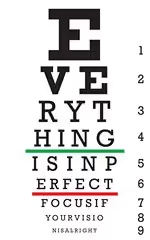
Font Type and SizeThink of your target audience.as individuals. How do they view your store and what experiences do they receive? |
 |
Home » Articles & Advice » Marketing Tips »